
Technical Back End (WIP)
Hubble
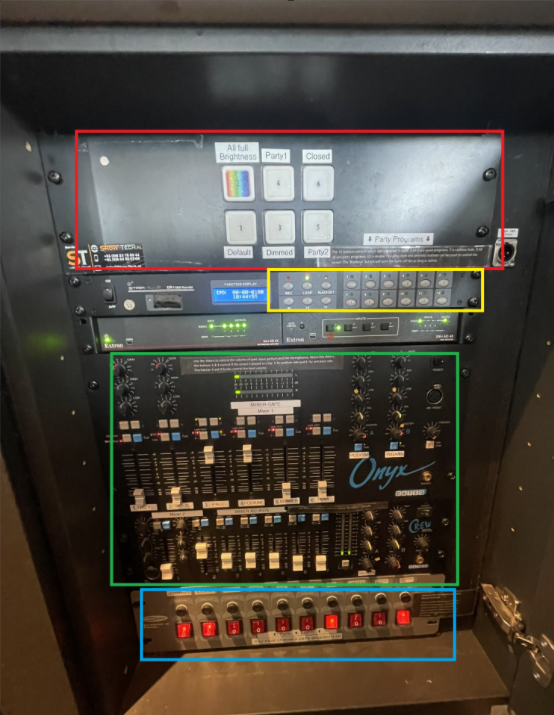
To turn the light and sounds on, press all the red buttons on the bottom (blue part) from left to right. To turn everything of, press them from right to left.
Music
- The music is played via the Spotify exam on the Ipad behind the bar. If you want to play a song, ask the SVH to unlock the ipad for you.
- The level of the sound is determined by the sliders in the green part. The fader labeled Ipad is used for the spotify.
- If something is wrong with the sound, check if all turning knobs are aligned with the tapes, as well as the LEDs.
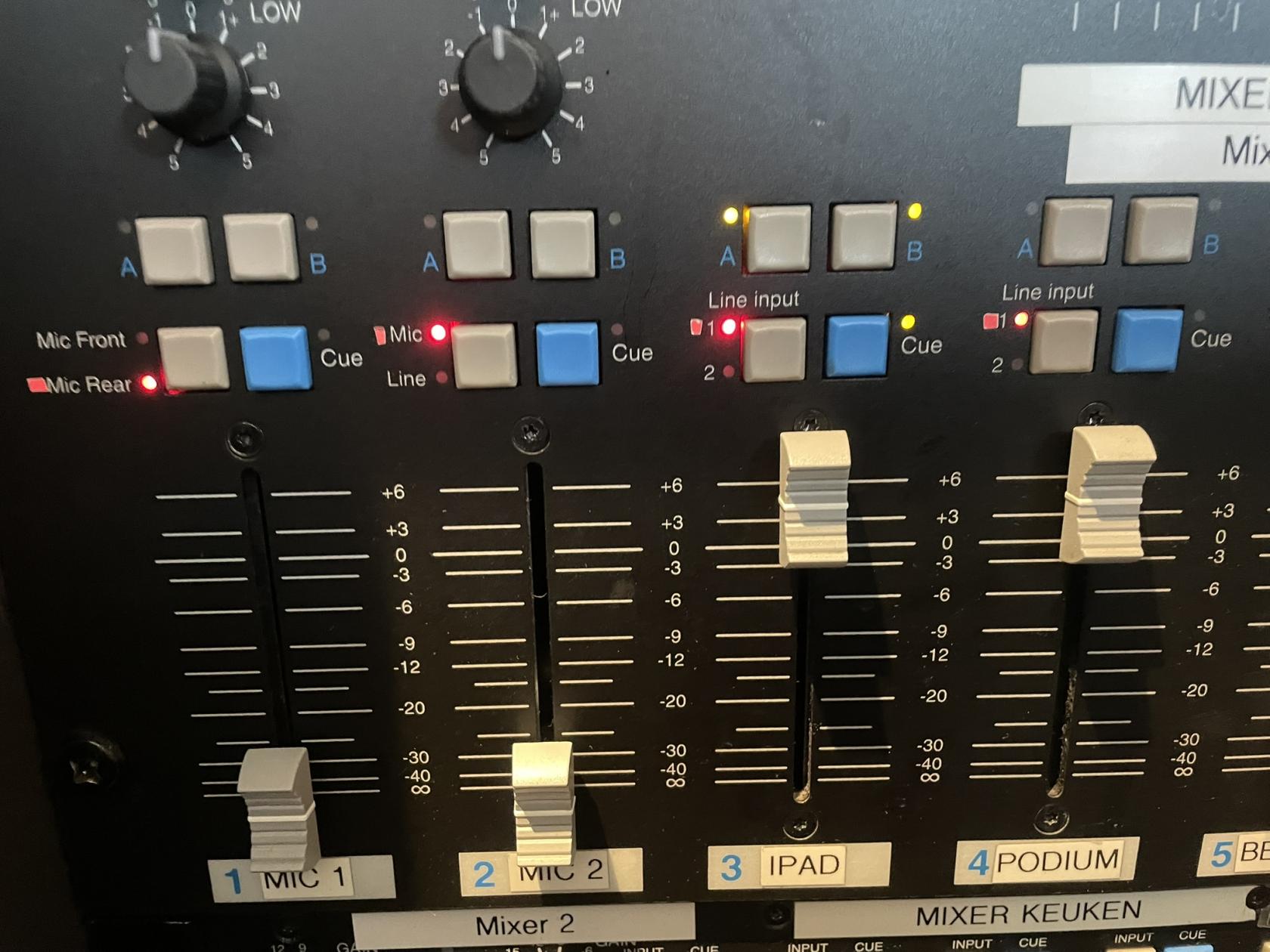
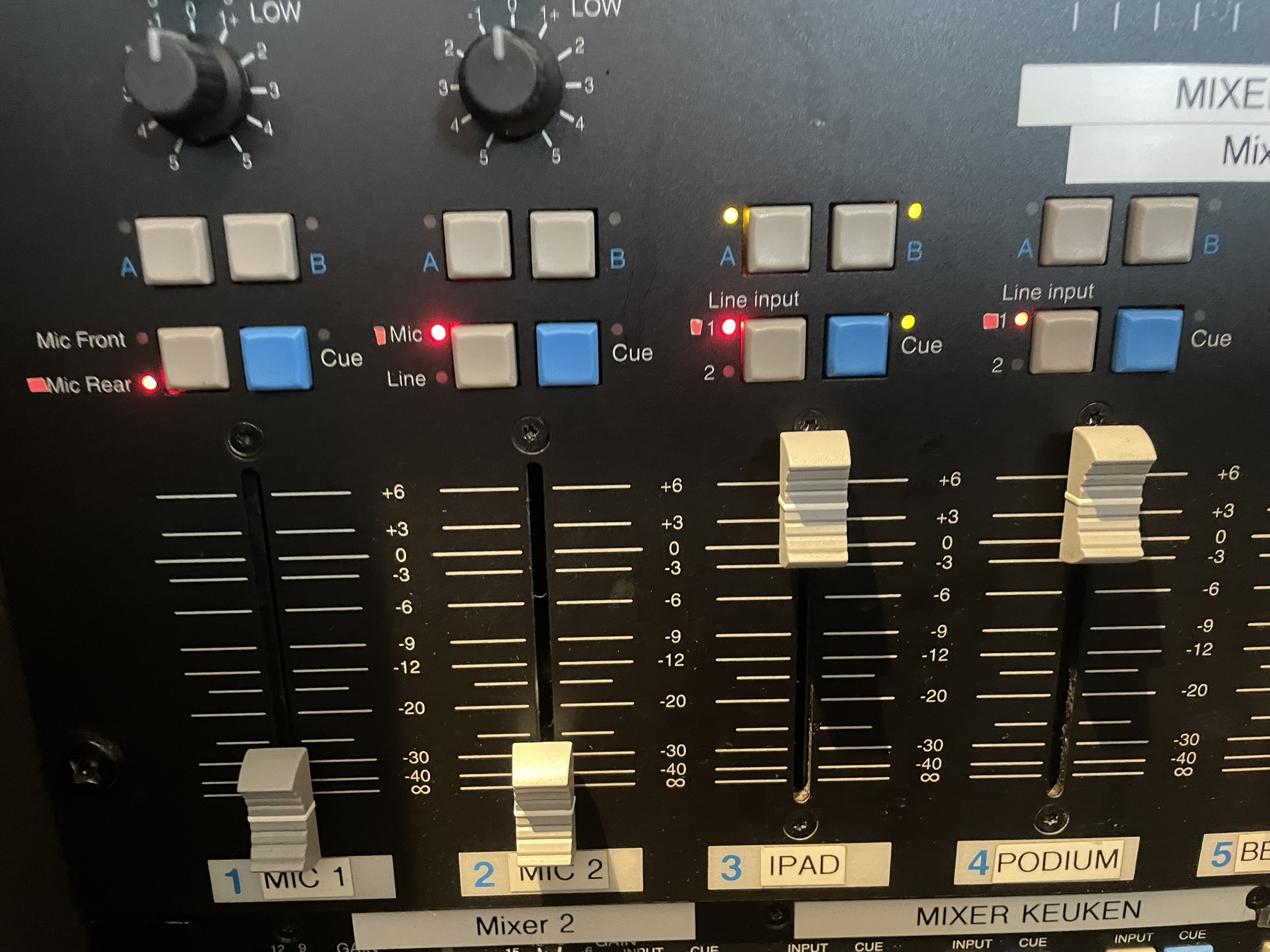
- When a presentation/pubquiz/ etc is happening, it can be nice to turn of music on that side of the bar. All sound inputs can be turned on seperately for side A(podium) and side B (black tables). On the picture above you can see that IPAD is on on both sides, and all other inputs are turned off.
Lights
Screens
Beamer
Microphones
- If people want to use a microphone, this can be found on the inside of the door next to the panel.
Sound limiter