
Cash register (TO DO)
- General process (scan association, tap the product, pin)
- Where to find products
- Guest with accounts
Taking a normal order
When a guest wants to order something you follow these steps:
- You greet them and ask them whether they are a student at the TU/e
- Fontys, PhD or any other student from another university does NOT count
- If they mention they are from a certain association or have a personal tab you either scan their barcode on the sheet next to the register (Hubble only), or you look them up in the register (see next section)
- You select the items they want to order (see section Selecting menu items)
- Let them pay by selecting the PIN button
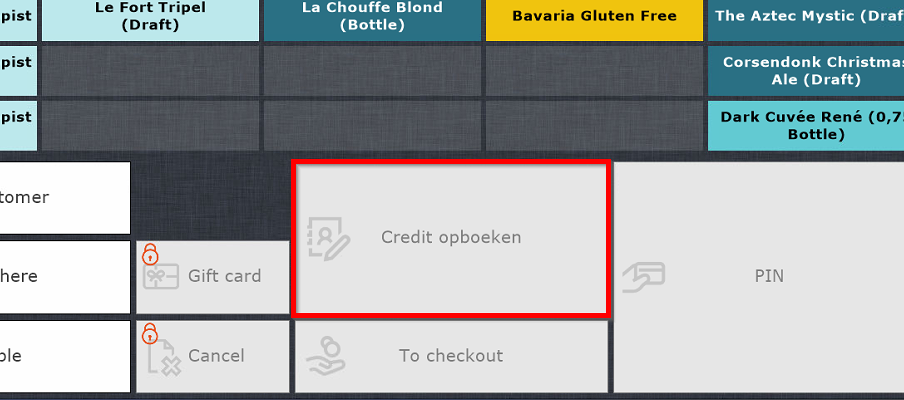
- If it is a personal tab they have the option to put it on their credit (tab) without paying, for this select the "Credit opboeken" button
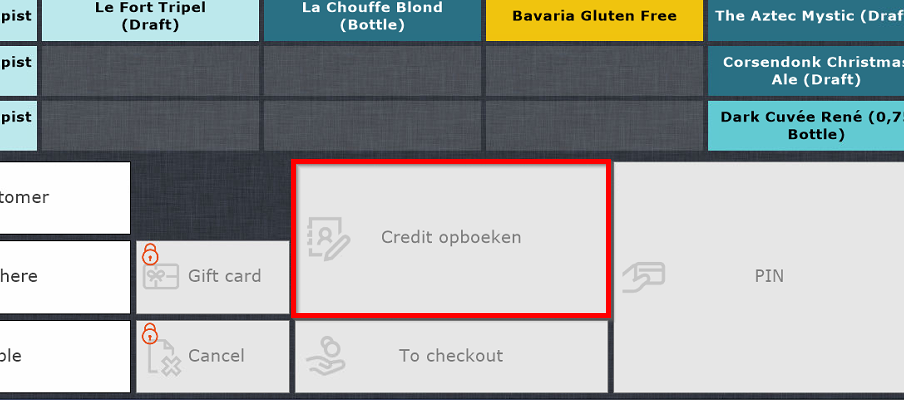
- If it is a personal tab they have the option to put it on their credit (tab) without paying, for this select the "Credit opboeken" button
- If the order includes food, give the first receipt to the guest, this is for them to keep track of their food order.
- Always make sure there is a person in the kitchen whenever food is ordered
- Place the second receipt (or only receipt if no food) next to the register for the other bartenders to make. You can of course make it yourself if there are no more guests in front of the register.
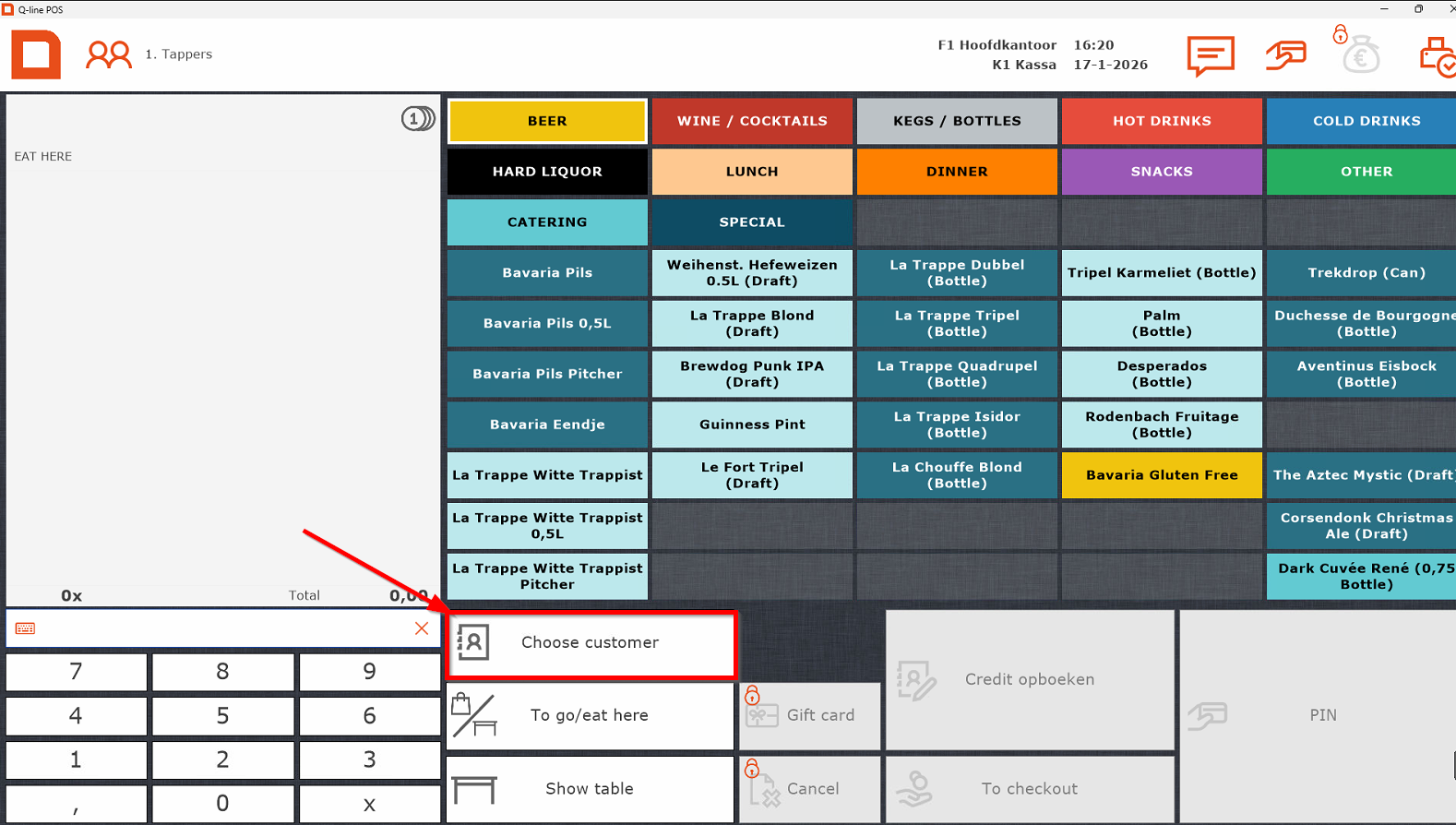
Looking up an association/person
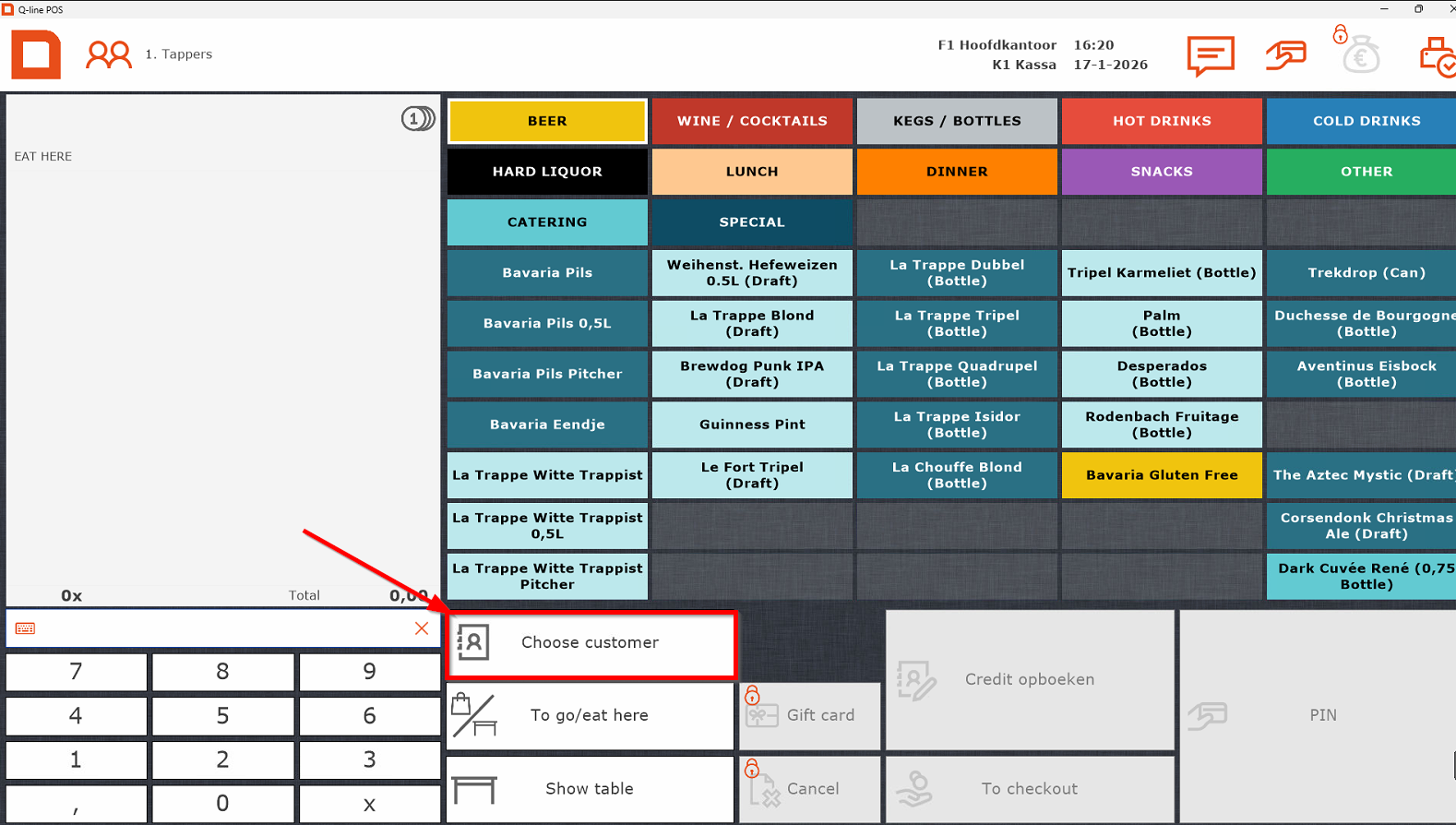
- Select "Choose customer"
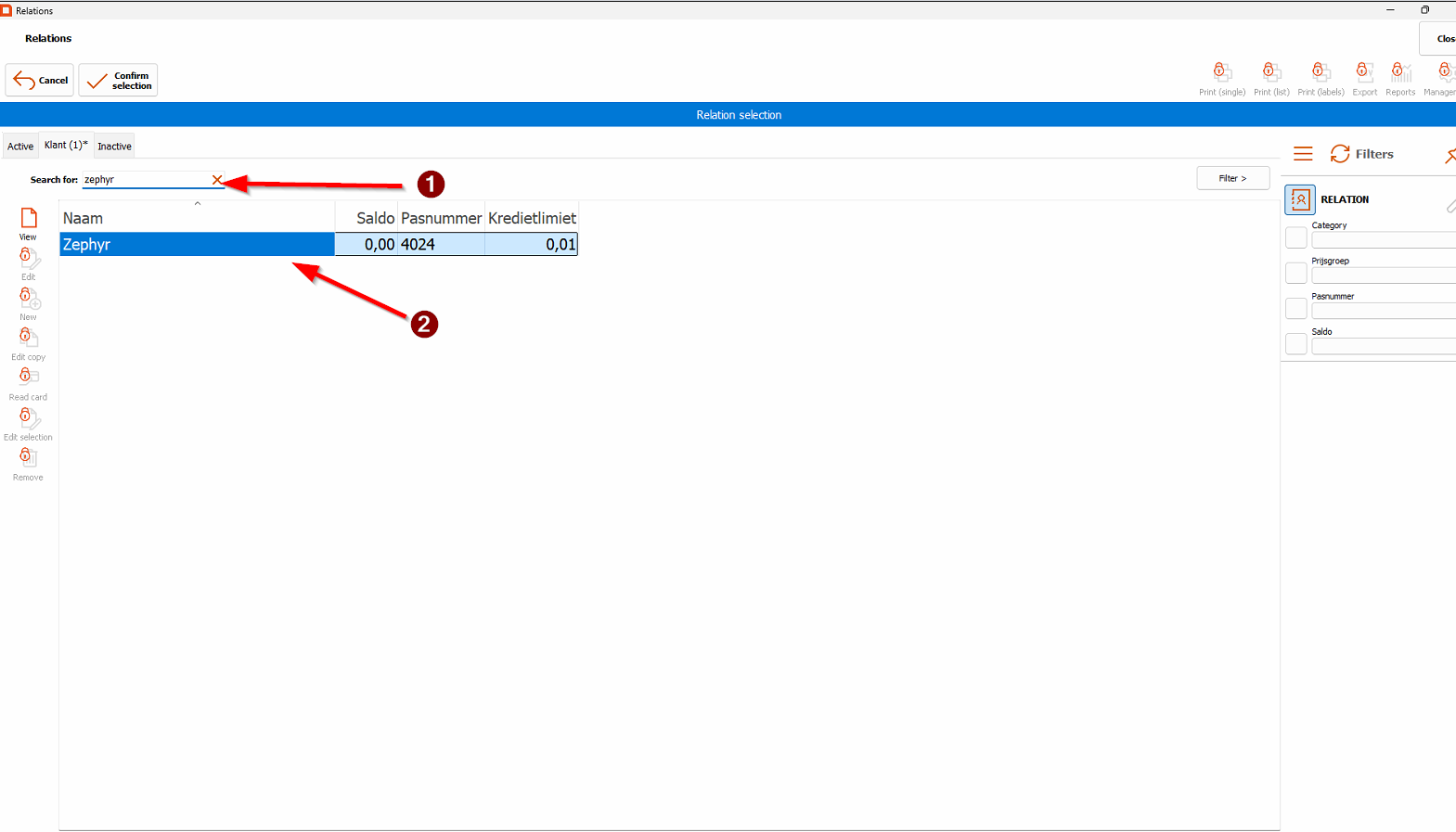
- Afterwards select association/person by
- Searching it in the search bar
- Double tapping the entry or press enter on the keyboard
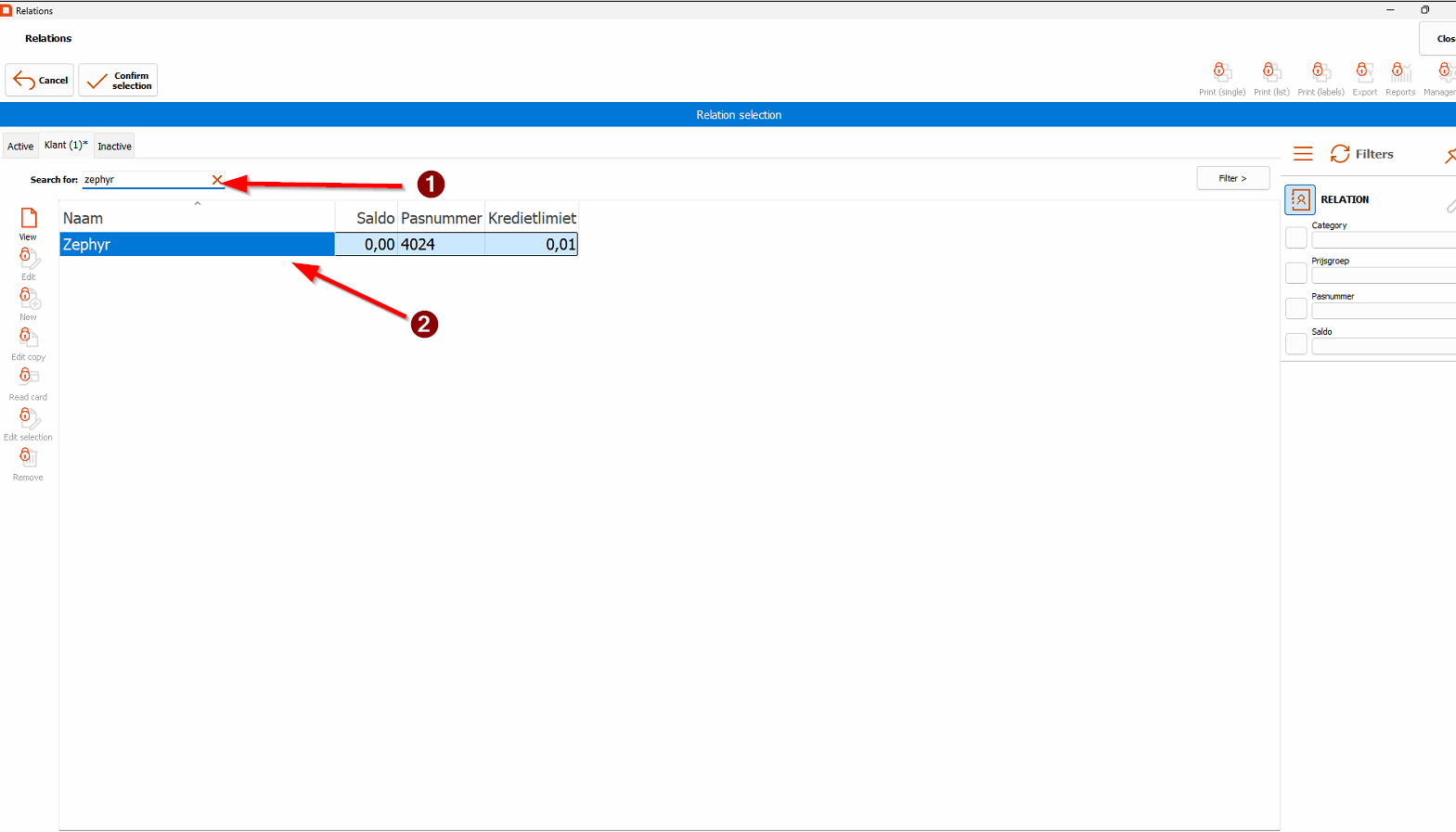
- The name should now appear above the order.
Selecting menu items
Register Tips
-
You can always log in using the "tappers" account at the top – no password needed.
-
Scanned the wrong association? Simply scan the right one, or press the red cross to remove it.
-
For multiple items, either tap the item several times or enter the number first and then the item.
-
Free drinks (e.g. “van het huis”): Always ask the SVH first – only they can approve this.
-
0.0% beers are under the Cold Drinks tab, not under Beers.